
Understand first. Decide for yourself. That is the promise we want a website analytics tool to make. You should leave with a clearer picture of your traffic, ad revenue and choices, and enough working to challenge the answer.
Automation can save time. It can collect a report, calculate a rate and help organize an investigation. The difficult part is deciding whether the report answers your question. A confident recommendation cannot supply a missing denominator, repair mismatched dates or establish why your visitors behaved differently.
This guide gives small publishers a practical starting point: three checks before acting on an analytics dashboard, an AI-generated recommendation or a website revenue calculator. You can use the free measurement toolkit to do the arithmetic. The decision remains yours.

1. Check what the number actually measures
Start with one question you could answer from a report. “How is my website doing?” is too broad to test. “Did ad earnings per pageview fall between these two complete months?” has a unit, a period and a comparison.
Write down the names of both the money and the traffic measure. Estimated ad earnings, finalized payable revenue, gross revenue and net profit describe different things. Pageviews, sessions, users and monetized sessions also describe different things. A calculator cannot make them interchangeable.
Google defines RPM through earnings divided by the relevant count, multiplied by 1,000. For page RPM, that count is pageviews. Google’s RPM definition is the starting point; the label in a provider dashboard determines which rate you are actually looking at.
| Question | Inputs that belong together | What the answer cannot establish |
|---|---|---|
| What was my page RPM? | Ad revenue and pageviews for matching dates | Why the rate changed |
| What was my session RPM? | Ad revenue and sessions for matching dates | A directly comparable page RPM without pageviews |
| What might a listing benchmark imply? | Net profit and the stated listing multiple | A buyer’s offer or a completed sale price |
| Is a new network worth investigating? | Relevant traffic, revenue and eligibility rules | Acceptance or an earnings improvement |
The traffic unit matters even when both dashboards use familiar words. GA4’s traffic acquisition documentation describes a session as a group of interactions within its session rules. Counting those sessions is a different operation from counting pageviews. Our session RPM versus page RPM guide works through that difference.
A useful tool makes the denominator visible next to its output. If the unit is unclear, resolve it before comparing the result with someone else’s screenshot.
2. Match the reporting periods before explaining a change
A 15-day period and a 30-day period can produce a dramatic-looking total change without showing a comparable daily change. The same problem appears when one month is incomplete, the revenue report is delayed, or the two exports use different timezones.
Check the date range, complete days, traffic unit, revenue definition and reporting timezone together. Keep an original copy of each source export. If you reconcile adjustments, record what you changed and why.
Consider this hypothetical example, using two complete periods of equal length:
Swipe or scroll the table horizontally to see every column.
| Measure | Earlier period | Later period | Change |
|---|---|---|---|
| Pageviews | 20,000 | 30,000 | +50% |
| Ad revenue | $150 | $180 | +20% |
| Page RPM | $7.50 | $6.00 | −20% |
Both headlines are true: revenue increased, and revenue per thousand pageviews decreased. The arithmetic is 150 ÷ 20,000 × 1,000 = 7.50, then 180 ÷ 30,000 × 1,000 = 6.00. Equivalently, 1.50 × 0.80 = 1.20: 50% more traffic at a 20% lower rate produces 20% more revenue.
That does not prove that the ad network performed worse. Additional visitors might have arrived from different countries, used different devices, read different pages or encountered different consent conditions. Those are questions to investigate in appropriate reports, not conclusions hidden inside the multiplication.
Use the free revenue comparison to compare totals or preview a daily CSV locally. It separates traffic and RPM components using midpoint arithmetic. That split describes the change; it does not identify its cause. See the traffic and revenue troubleshooting guide for the next reporting checks.
3. Compare the decision cost with the strength of the evidence
A benchmark can suggest a question worth investigating. Its usefulness depends on the sample, the unit and the decision you plan to make.
Our historical page-RPM sample contains 123 broker-checked, sale-selected businesses. It is a view of those records, with the selection limits that implies. A median from that group cannot establish what a new site, a different audience or a different ad layout will earn. Read the published data and methods before using the comparison.
The same principle applies to a large external data collection. More country-year observations do not turn connectivity statistics into measurements of your website’s visitors. A relevant, matched observation can answer a narrower question than a much larger file of unrelated values.
Before changing something expensive, write down:
- The observation: which value changed, by how much, and over which dates.
- The uncertainty: what you cannot separate with the available reports.
- The action: the specific change you are considering.
- The cost: money, implementation time and possible disruption.
- The check afterward: which comparable measure would help assess the result.
For an ad-network move, a larger quoted RPM needs to be considered alongside payable revenue, fees, migration costs and traffic assumptions. The network-switching planner makes those inputs explicit. Its result is a scenario under your assumptions; it is not an endorsement or a prediction.
For a possible search decline, the traffic-loss stress test can show how a chosen loss would affect revenue and cash profit. It does not assign a probability to that loss. That distinction lets you use a scenario for planning without treating it as a forecast.
Use automation where you can inspect its work
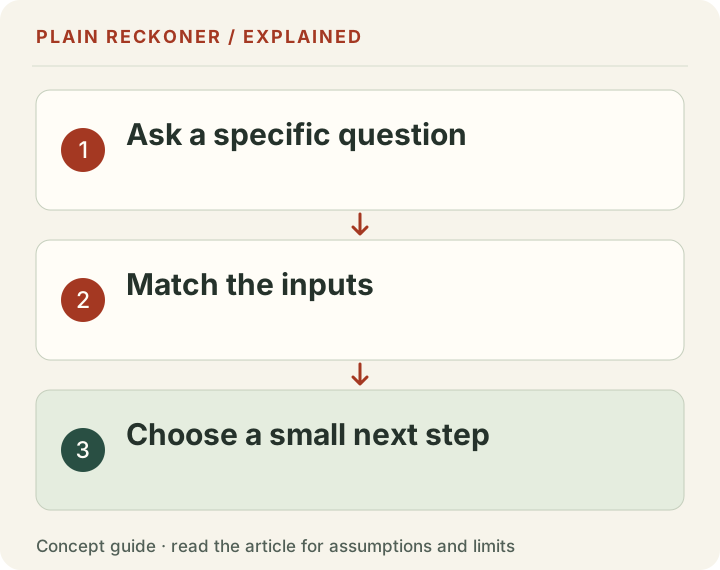
A sensible starting point is to automate repeatable collection and transparent calculation, while reviewing the choice of question, source, unit and action. The right boundary depends on the consequence of a mistake and the quality of the evidence available.
Ask any analytics product to show its inputs, source dates, definitions and assumptions. Check whether you can export the working. Look for an explanation of what would change the conclusion. A score without those details is harder to use responsibly, whether a person or a model produced it.
For content decisions, a score is only a starting signal. Read the page, examine the question it answers and check whether it helps its intended audience. Google’s people-first content guidance emphasizes useful, reliable content for readers. Repeating keywords or obeying a universal word-count target does not substitute for answering their question.
Your first step is free
Start with a public-site check, a comparison of your own revenue periods, or a clearly labelled historical benchmark. Follow the formulas and sources. Keep the parts that help you understand your situation, and challenge the parts that do not fit.
You can use the free toolkit without an account. If the available evidence does not answer your question, request a free manual review. Explain what you want to understand, and a researcher will look at what can be established and where the limits remain. We aim to reply by email within 24 hours; detailed questions may take longer; keep sensitive records out of the initial form.
Understanding your website gives you a stronger basis for choosing what happens next. That is the point of the tool.
The missing-data check belongs before the recommendation
A blank field can mean unavailable, not collected, delayed or genuinely absent. Those meanings are not equivalent. If a dashboard cannot see your ad revenue, it cannot safely treat the revenue as zero and conclude that your site earns nothing.
The same applies to a public-site scan. Not seeing an ad network in a downloaded HTML page does not prove that no advertising loads in a visitor's browser. A script may insert it later. A regional or consent rule may change what appears. The correct finding describes what the scan could observe and what it did not test.
Write an evidence boundary beside the result. “No known ad signature found in these fetched pages” is narrower and more useful than “your website has no ads.” It tells you which observation to check next without turning a limited method into a universal claim.
For your own reports, keep a short missing-data register. Name the field, why it is missing, whether it affects the calculation and what source could resolve it. A calculation that needs a missing denominator should be unavailable, not a reassuring percentage assembled from defaults.
Use one shared scenario, with separate meanings
Connected tools are useful when the same inputs describe the same business. They become misleading when a value silently changes its meaning between screens.
For example, monthly ad revenue is not monthly net profit. A website valuation based on discretionary earnings needs the relevant costs and stated owner-pay treatment. Copying $760 of revenue into a field labeled profit makes the arithmetic easy while changing the economic question.
In a chosen scenario, $760 revenue and $60 named operating costs leave $700 before any other excluded costs. A 29-times monthly-profit benchmark applied to $700 gives $20,300. Applied to the original $760 revenue, it gives $22,040. The $1,740 difference comes entirely from using a different input basis, not a more favorable marketplace.
That example is not a valuation of your website. It shows why a shared scenario needs definitions as well as numbers. Keep income, expenses, traffic units, reporting periods and assumptions visible when moving between tools. If a screen uses a different cohort or model, explain the difference rather than force the outputs to agree.
Test the explanation with a boundary case
You do not need to be a programmer to challenge a calculator. Try an input whose answer you can work out by hand. Doubling pageviews while holding revenue fixed should halve page RPM. Doubling both should leave the rate unchanged. Zero pageviews should not produce a meaningful page RPM.
Then ask what happens outside the typical case. Does a negative profit produce a warning rather than an attractive positive valuation? Does a missing country share remain unknown rather than count as an eligibility pass? Does an unavailable stock count stop a promotion-capacity claim?
These checks do not prove the whole product is correct. They test whether its visible logic respects the definitions that matter. A well-designed tool should explain why a result cannot be produced, not merely show an error code.
When you find a discrepancy, preserve the smallest reproducible case. Record the inputs, expected calculation, actual result and the source definition you used. That is far more actionable than a screenshot saying “the number looks wrong.” Keep private personal data out of the reproduction.
An automated summary still needs a source trail
A useful summary separates observations, calculations and interpretations. An observed traffic count comes from a report. Page RPM is calculated from traffic and earnings. A theory about why that RPM changed is an interpretation requiring more evidence.
Ask for the source behind each layer. The reporting period should travel with the traffic total. The formula should travel with the rate. The supporting evidence and alternative explanations should travel with the recommendation. A citation to an unrelated authority cannot fill the gap between those steps.
This matters for current provider rules, too. A page published recently can repeat an old threshold. Prefer the provider's live requirements and keep the date checked beside the unit. When two official pages differ, record the discrepancy and ask rather than pretend one confidently chosen number resolves it.
The right use of automation is often to gather these items and make comparison easier. It can reduce clerical work while leaving the uncertain judgment visible. That is different from accepting an unsupported instruction because it arrived in polished language.
Choose the smallest useful next action
Not every uncertain result needs a sitewide redesign. If a question can be answered by reconciling two exports, do that before buying new software. If one page has a broken control, fix it before attributing a revenue change to the whole content strategy.
For reversible changes, define a short test with a clear purpose. Record the current state, the change and the measure you expect to learn from. For costly or difficult-to-reverse changes, require stronger evidence and consider whether a smaller test can reduce uncertainty first.
Suppose you are considering replacing a useful article because its earnings per pageview fell. First check whether its audience changed, whether the earnings period is complete and whether the page still answers a needed question. Removing it might reduce useful visits without repairing the monetization issue. Conversely, a strong historical rate cannot justify keeping content that is now inaccurate.
Keep an explicit option to do nothing yet. Waiting for complete data can be a decision when the cost of a mistaken intervention exceeds the cost of delay. This is not an excuse to ignore a known broken feature or a security problem. It is a way to match the scale of action to the strength of the evidence.
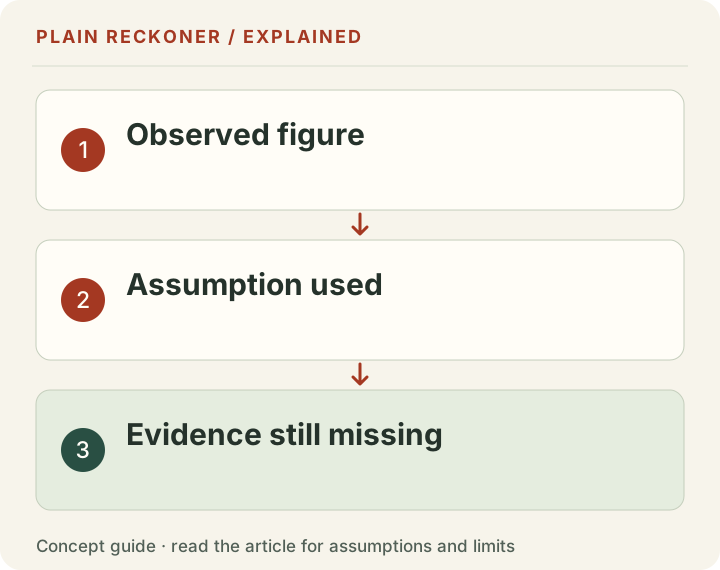
At the end, you should be able to say what you learned, what remains unknown and what you will check next. A dashboard that helps you write those three sentences has done more useful work than a confident score you cannot explain.
Keep that decision record with the original exports so the next review begins from evidence rather than memory.