A traffic record is not necessarily an earnings record. If the additional pageviews earn less per thousand, total ad revenue can fall even while the audience grows. Before switching providers, changing layouts or blaming a search update, establish which part of that arithmetic changed.
This guide provides a reproducible example, a reporting checklist and a free comparison tool. You can type totals or preview daily CSV files locally. No account connection or earnings upload is needed. The tool separates traffic and RPM components; it cannot determine why either changed.
First, prove the apparent contradiction
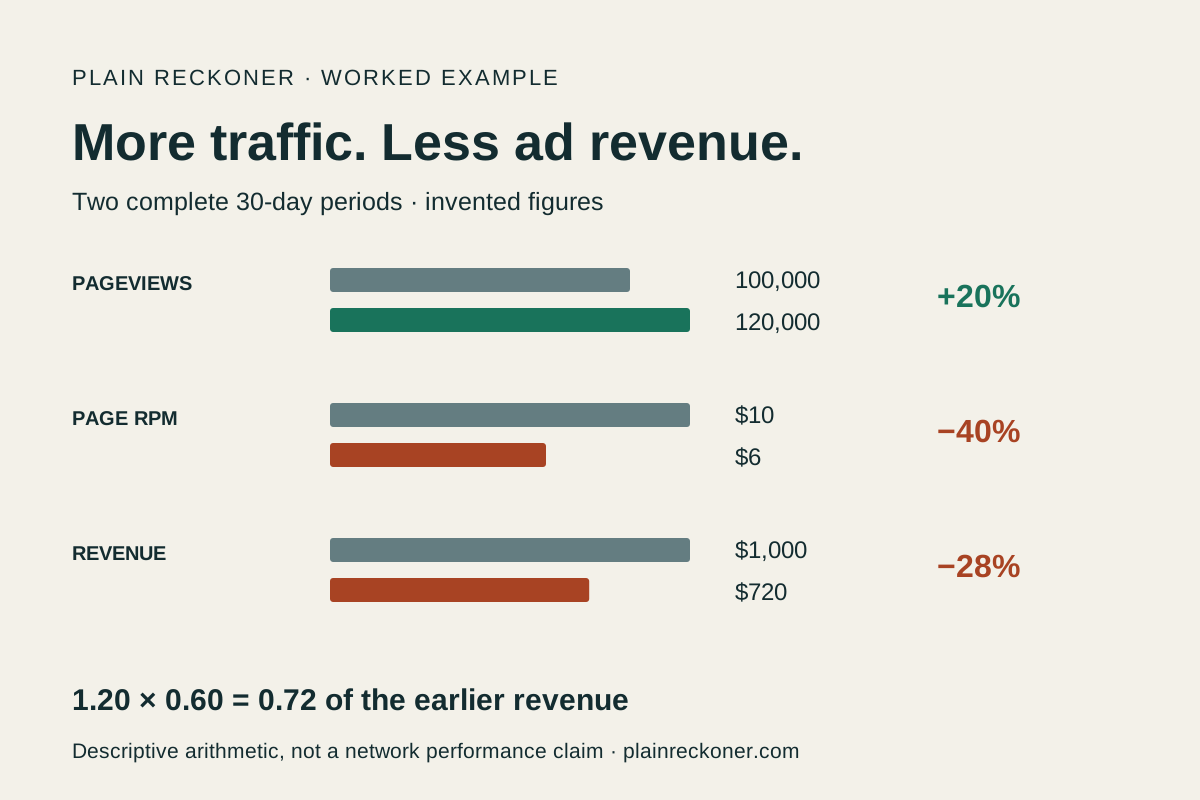
Imagine two complete 30-day periods. The earlier period has 100,000 pageviews and $1,000 in ad revenue. The later period has 120,000 pageviews and $720. These are hypothetical figures, not a report about a particular network.
Swipe or scroll the table horizontally to see every column.
| Measurement | Earlier | Later | Change |
|---|---|---|---|
| Pageviews | 100,000 | 120,000 | +20% |
| Revenue | $1,000 | $720 | −28% |
| Page RPM | $10 | $6 | −40% |
| Revenue per day | $33.33 | $24.00 | −$9.33 |
Google defines RPM as estimated earnings divided by the relevant volume, multiplied by 1,000. Here, the denominator is pageviews. Revenue is traffic × RPM ÷ 1,000, so the revenue multiplier is 1.20 × 0.60 = 0.72. A 20% gain and a 40% loss do not cancel each other.
Download the synthetic earlier daily CSV and later daily CSV. In the tool, select pageviews, open each period’s CSV importer, choose the corresponding file, review the preview and select “Use these totals.” It should reproduce the table. This is also a quick way to understand the importer before using your own figures.
Make both periods mean the same thing
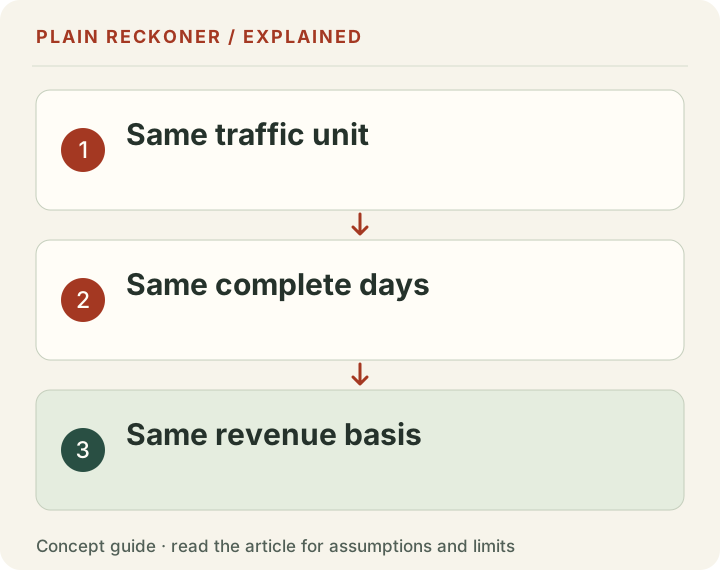
A mismatch can create a problem that the underlying business does not have. Record these details before drawing conclusions:
- Complete dates and time zone. Do not compare 30 complete days with a partial current month. If periods differ in length, inspect traffic and revenue per day. Similar daily averages can still hide different weekday or seasonal mixes.
- Same property and revenue scope. One report may cover all domains while another covers one site. Compare display-ad revenue with display-ad revenue, keeping affiliate and sponsorship income separate.
- Same currency and reporting state. Use USD in this tool. Convert externally on a documented basis if needed. Google explains that estimated and finalized earnings can differ; adjustments are not automatically an ad-rate change.
- Same traffic unit. Sessions, pageviews and monetized sessions are different counts. Read session versus page RPM and monetized RPM before comparing dashboard labels.
If you just launched Journey, start with the reporting-window explanation. Its default range can include onboarding and ramp-up. That is a specific documentation point, not a guarantee that any later decline will recover.
Use the arithmetic to choose the next investigation
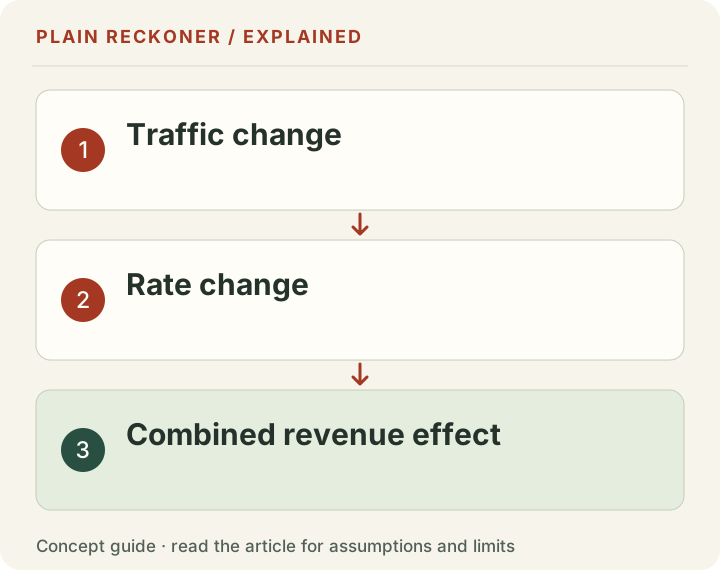
The comparison normalizes both periods per day and splits the change symmetrically. It uses the average RPM for the traffic component and average daily traffic for the RPM component. This avoids making the result depend on which factor you change first.
In our synthetic example, extra traffic contributes about +$5.33 per day to this arithmetic split, while lower RPM contributes about −$14.67 per day. Together, the unrounded values give the −$9.33 daily revenue change. Displayed cents can differ slightly when added because of rounding. The downloaded comparison CSV retains calculation precision.
These components are descriptive. “RPM component” is not the amount a network caused you to lose. Country mix, content mix, consent, ad delivery, reporting changes and advertiser demand can all affect an aggregate. The same total can arise from different underlying problems.
Check ad delivery before assuming lower prices
Google’s earnings troubleshooting guide recommends checking pageviews, coverage, then impressions, starting at site level and using breakdowns to narrow the issue. Those metric definitions apply to AdSense; other networks may name or define their reports differently.
| What your matched reports show | Next check |
|---|---|
| Revenue and pageviews fall | Acquisition sources, landing pages, reporting dates and site availability |
| Pageviews hold, but coverage falls | Policy notices, serving limits, ads.txt status and crawler errors in the provider dashboard |
| Pageviews and coverage hold, but impressions fall | Ad implementation, formats, placements and whether ads render on affected pages |
| Delivery holds, but revenue per unit falls | Comparable country, device, source and page groups; revenue definitions and provider reporting |
These are investigation routes, not automatic diagnoses. An ads.txt warning and a revenue decline occurring together do not by themselves establish causality. Preserve dates and evidence, fix confirmed errors and ask the provider about the affected property and period.
Avoid repeatedly changing several settings at once. If you alter placement, consent and lazy loading together, a later recovery will be hard to interpret. Document the change and monitor comparable complete reporting days.
Look for a mix change hidden in the average
Suppose your existing pages continue earning the same amount per thousand views, but new traffic mostly lands on pages with fewer delivered ads. The site-wide RPM can fall even if no individual page becomes less valuable. Country, device and acquisition shifts can have the same averaging effect.
Compare the largest meaningful groups using both traffic and revenue, with the same denominator. Prioritize groups large enough to explain the site-wide difference. A dramatic percentage change on a handful of views is less useful than a modest change across most of the site. Do not assume every provider exposes every breakdown, and do not join reports that measure incompatible traffic.
Check suspicious traffic separately. More browser events are not proof of more real readers. A bot surge or your own verification visits may increase one analytics count without creating matching monetizable traffic. Cloudflare browser analytics, edge requests, GA4 sessions and network pageviews are different measurements; reconcile their definitions rather than expecting equal totals.
Import your own daily figures safely
The comparison tool accepts the three-column template: date,traffic,revenue_usd. Each period needs one row per complete calendar day. Use ISO dates such as 2026-09-01, whole traffic counts and plain nonnegative USD amounts. Select whether both files contain pageviews or sessions.
This is a template importer, not an automatic converter for raw AdSense, GA4 or Journey exports. Use the optional column mapper to choose a daily date, traffic and USD-revenue column. Confirm the currency and traffic unit before previewing; the mapper does not convert currencies, interpret ambiguous dates or reconcile account adjustments. The importer rejects duplicate dates, missing days, malformed numbers, oversized files and positive revenue on a zero-traffic day. It supports up to 366 days and 100 KB per file. Negative adjustments need reconciliation before import; they are not silently dropped.
Previewing a file does not overwrite the inputs. Apply its totals explicitly. Files are read locally in your browser; this feature does not upload them. The tool exports a calculation CSV you can keep with your investigation notes. It does not store a history of your entered periods.
Send support a useful question
Give the provider the domain, date range, time zone, revenue definition and denominator. Include matched totals and the particular breakdown that changed. State any confirmed implementation or policy warning, with the date you first observed it. Use the provider’s private support channel for sensitive account details.
A useful question is: “Across these complete dates, pageviews rose 20%, revenue fell 28% and coverage changed as shown. Which reporting or delivery issue should I check next?” That is easier to investigate than a screenshot of one low RPM.
Use the tool to establish the discrepancy, the documentation to choose checks and your private reports to investigate cause. If you later consider switching networks, treat application requirements and earnings evaluation as separate decisions.
Evidence: primary provider definitions and troubleshooting guidance, plus explicitly synthetic, reproducible arithmetic. No network winner, expected earnings or recovery date is claimed.
What another network tells publishers to check
Mediavine’s traffic-spike troubleshooting guide also separates revenue changes from traffic changes. It notes that duplicate analytics can make RPM look too low. That is a possible counting problem to investigate, not a diagnosis of your site. Compare the same dates and counting method before changing the ad setup.
If search traffic changed after a Google update
Google’s official status dashboard dates the September 2026 spam rollout from September 24 to October 8. A drop near those dates does not establish that the update caused it.
Export page and query reports for comparable complete periods before and after the rollout. Match weekdays, country, device and search type. Allow for the reporting delay; compare year over year where seasonality matters. Then check whether impressions, clicks, click rate or position changed. A better average position across fewer queries can coexist with fewer visitors.
Check indexing, availability, demand and changes in search presentation too. Google’s traffic-drop guide explains these checks. Small totals are especially noisy: a few clicks cannot establish a reliable recovery trend or diagnose an algorithmic penalty.
Considering a move? Check whether switching ad networks pays after fees and traffic changes before comparing headline RPMs.
A mix example where no individual page rate falls
Here is a second worked example, separate from the $720 case above. It shows why an aggregate rate can be misleading even when each group's rate stays the same. The groups could represent two content types in a report that provides compatible earnings and pageview totals. We call them A and B rather than assign a universal value to a country or topic.
Swipe or scroll the table horizontally to see every column.
| Matched group | Earlier pageviews | Later pageviews | Page RPM in both periods | Earlier earnings | Later earnings |
|---|---|---|---|---|---|
| A | 80,000 | 40,000 | $12 | $960 | $480 |
| B | 20,000 | 80,000 | $2 | $40 | $160 |
| Total | 100,000 | 120,000 | Different weighted average | $1,000 | $640 |
Traffic rises 20%, but earnings fall 36%. Neither group has a rate decline. The higher-earning group lost pageviews while the lower-earning group gained them. The combined page RPM falls from $10 to about $5.33 because the mix changed.
That does not prove a real publisher has this problem. It shows what to look for in a compatible breakdown. If you see a similar pattern, inspect the pages and acquisition sources behind each group. Check whether the earlier traffic was unusually high, whether the newer traffic reads different material, and whether the earnings reports cover the same population.
You can also calculate a conditional comparison. If the later 120,000 pageviews had retained the earlier 80% A and 20% B mix, with the chosen group rates unchanged, the arithmetic would produce $1,200. Actual later earnings in this example are $640. The $560 gap belongs to that chosen counterfactual; it is not a measured amount a particular provider took away.
Keep the two examples separate in your notes. The first establishes a site-wide traffic/rate decomposition. The second demonstrates how a change in composition can create a site-wide rate change. Combining them without their assumptions would make a precise-looking story that neither example supports.
Build a short investigation log before editing the site
Create a local note with five fields: what changed, where it changed, when it changed, what you checked, and the next test. Start with actual report totals and the reporting definitions. Put your theory underneath them. This separation prevents a plausible explanation from becoming a fact simply because it appears next to a chart.
For example, the observation may be that most of the earnings difference is on mobile landing pages in one section. The theory may be that an ad placement no longer appears after a template update. The test is to inspect representative pages, compare the relevant implementation and confirm delivery in the provider's reports. A failed test should remove or weaken the theory, not disappear from the note.
Record the date of a confirmed fix. Keep unrelated changes out of the test window where practical. If another team member must make an urgent change, note it rather than pretending the comparison remained controlled. Business troubleshooting rarely provides a perfect experiment, but it can still provide a transparent sequence of observations.
Do not call a recovery after the fix proof of causality without considering other changes. A large advertiser campaign, a different traffic mix or the end of an outage might coincide with it. The useful conclusion may be narrower: the implementation error is corrected, the affected report now behaves as expected, and the exact contribution to total earnings remains uncertain.
Match the response to the size of the evidence
If one day looks weak, first check whether that day is complete. If one group contains only a few views, avoid a dramatic percentage headline. If the entire site changed, investigate broad reporting or delivery issues before rewriting a small article that cannot explain the total difference.
A provider support response can resolve a definition or known incident. It does not automatically prove the effect on every page. Save the relevant explanation with its date, then compare it with your own report. Likewise, a public search-update announcement gives you a time window to inspect, not a diagnosis of your business.
The strongest next action is usually a small, testable one: reconcile a denominator, confirm a missing placement, correct duplicate tracking or obtain a compatible breakdown. You do not need a universal explanation before fixing a demonstrated error. You do need to keep the demonstrated error separate from the parts of the decline it has not explained.
Begin in the analysis workspace with the figures you actually know. Use the comparison to locate the arithmetic difference, then use the right private reports to narrow the cause. If the available data cannot settle it, say what remains unknown and ask a specific question rather than supplying a confident guess.