
A low number after a few days is a reason to inspect the report, not proof that a network is underpaying or about to improve. First establish what the number divides, which dates it covers and whether those dates are complete.
Journey’s analytics documentation explains that the default view spans 30 days and includes early onboarding and ramp-up. It says this can make the average look low soon after launch. Traffic reporting in that dashboard begins at ad launch rather than including the earlier evaluation period. The page also says prior-day reporting completes by 10am Eastern Time.
That explanation identifies a reporting effect. It does not guarantee a recovery date or a particular future RPM.
Separate the three questions
| Question | Measurement to retain |
|---|---|
| Is the displayed average affected by early days? | Daily revenue and the matching denominator from launch onward |
| Is the latest day actually complete? | Provider reporting cutoff, date and time zone |
| Did the business earn more from the same traffic? | Matched-period revenue, sessions, pageviews and audience composition |
A screenshot of one RPM figure cannot answer all three. Preserve the underlying totals, especially before changing providers or adjusting layouts.
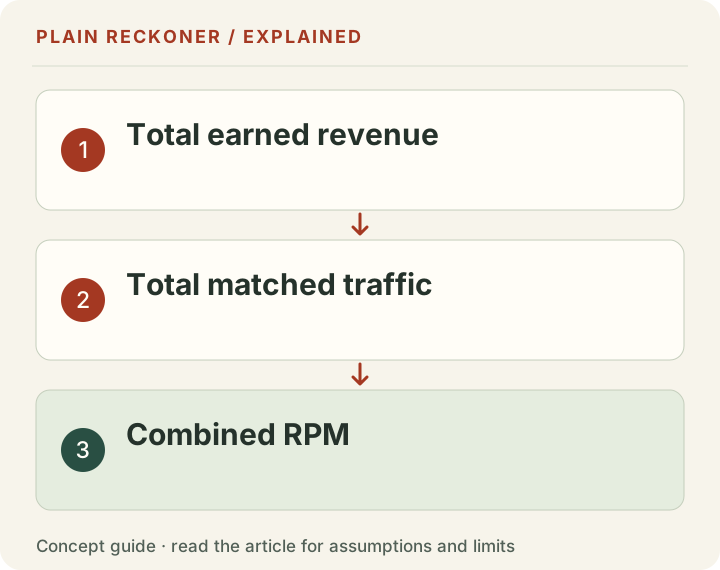
Recalculate a pooled RPM, not the average of daily RPMs
Google defines RPM as estimated earnings divided by the relevant volume, multiplied by 1,000. For a session-based report, use the session denominator consistently.
Here is a ten-day worked example. In the first five days, 1,000 sessions per day earn $4 per day. In the next five, the same daily traffic earns $12 per day. Total earnings are $80 from 10,000 sessions, giving an $8 session RPM. The later period’s $12 does not make the earlier observations disappear.
Equal daily traffic makes averaging the daily RPMs work in that particular example. It fails when traffic differs. One day earning $20 from 1,000 sessions has a $20 RPM; another earning $10 from 10,000 sessions has a $1 RPM. The simple average is $10.50, but the correct pooled figure is $30 / 11,000 × 1,000, or about $2.73.
Download the worked reporting-window examples to check both calculations. The rows are explicitly synthetic; no publisher or network supplied these earnings.
Compare like with like before switching
Use complete days and consistent time zones. Separate any differences in country mix, device mix, traffic source, content mix and ad settings. Compare the same denominator: page RPM and session RPM differ even when revenue does not. If a dashboard now uses only monetized traffic, read the monetized RPM explanation before comparing the number with an older report.
Keep actual revenue visible beside RPM. An increasing RPM with falling traffic can still mean less money. Conversely, an audience expansion can lower an average while increasing total earnings. Neither number should stand alone.
When to ask for help
Check the provider’s current reporting guidance, then send support the exact date range, property, traffic totals and discrepancy. If pages have no ad impressions or a tag was removed, investigate setup rather than assuming a reporting average explains everything.
Our RPM calculator computes page RPM from your own revenue and pageviews. It does not see your Journey account, diagnose a private integration or predict the outcome of switching. For application planning, use the requirements comparison separately from earnings evaluation.
For two complete reporting periods, use the free revenue-change comparison. Enter each period’s revenue, traffic and complete days using one consistent denominator. It separates the arithmetic traffic and RPM components and normalizes different period lengths; it does not diagnose why either changed.
Evidence grade: A. Provider reporting guidance and reproducible hypothetical arithmetic. There is no independently measured network winner, expected RPM range or guaranteed optimization period.
For an established site gaining traffic while earning less, follow the matched-period RPM-drop investigation, with synthetic CSV examples and an ad-delivery checklist.
Do not add evaluation traffic to launch earnings
The current Journey analytics guide says its displayed session and pageview reporting begins at ad launch. It does not show the earlier evaluation traffic in that advertising view. That boundary matters when someone tries to reconstruct a thirty-day rate from another analytics export.
If you take ten days of earned revenue after launch and divide by thirty days of all-site traffic, you have made a different rate. It may include visits that had no opportunity to earn under the new setup. That is not automatically the rate shown by the provider.
Keep launch date, available reporting dates and the chosen export window together. The source's statement about early onboarding and ramp averages does not justify inventing zero-revenue days before launch or assuming every default window uses the same denominator handling.
If the dashboard and your reconstruction differ, inspect the available dates and source definitions. Ask support what the displayed calculation includes rather than treating a remembered thirty-day label as a complete formula.
Separate delayed reporting from a weak complete day
A day that has not finished processing cannot be compared fairly with a complete day. A late update can make the latest result appear low and then change without any new publishing or optimization work.
Record the provider's stated completion time and timezone. Check whether the date has fully closed and whether the current page is showing complete reporting. Do not repeatedly refresh a partial day and interpret each movement as a meaningful earnings trend.
Once the day is complete, a low result still needs context. It may be a genuine rate difference, a different audience, an implementation issue or ordinary variation. Reporting delay is one check, not an explanation for every shortfall.
Save the original complete export before changing anything. A snapshot from midprocessing is useful only if it is labeled as such. A later comparison should not use that preliminary amount as if it were the finalized daily baseline.
A rising average does not prove a predictable ramp
The original ten-day example uses five early low-rate days and five later higher-rate days. Those chosen values show how pooled arithmetic works. They are not a fitted curve describing Journey's typical launch.
A real site's first month could rise, fall or vary. A launch can overlap a holiday, a traffic spike, a different country mix or a technical change. The time since launch alone does not identify which factor explains the rate.
Mediavine's general launch guidance describes variation between sites and conditions. It is useful provider context, not a promise that a new Journey account will reach a particular rate after a fixed number of days.
Do not turn patience into ignoring a fault. If an expected placement is absent, a required public file is wrong or a script was removed, investigate that concrete issue. Conversely, do not call a low early average proof that a provider failed when the period and population are not comparable.
Keep a launch diary with operational facts
Record the actual launch date, relevant deployment changes, the selected traffic definition and complete daily earnings. Add source notes for unusual traffic or known reporting disruptions. The diary need not contain private visitor records.
Separate confirmed events from theories. “The tag was absent from this template until Tuesday” is a testable implementation observation. “Advertisers dislike my site” is an interpretation the public report may not support.
If you change an ad setting, record the exact date and what else changed. If you change several settings together, you may learn whether the combined setup differs but not which setting caused the result. Keep that limitation in the later review.
A small diary makes a support request more useful. Instead of sending only a low-RPM screenshot, you can describe the dates, affected pages, traffic counts and the specific discrepancy you could reproduce.
Audience mix can move the early result
A new source of visits can change the combined rate even if the earnings rate within the original audience stays the same. The first month may not resemble the audience on which another publisher's screenshot was based.
Take a chosen two-group example. Five thousand sessions at a $12 session rate produce $60. Another five thousand at a $2 rate produce $10. Together they produce $70 from ten thousand sessions, or $7 pooled session RPM.
If the second group expands to fifteen thousand sessions while the first remains five thousand, the chosen total becomes $90 from twenty thousand sessions, or $4.50 RPM. Revenue increased, but the blended rate fell. Neither group's rate changed in the model.
This does not establish that the lower-rate audience is bad or that geography caused the difference. It shows why total money and the audience breakdown belong beside the headline. Use available country, device, source and page reporting to investigate actual groups rather than assign cause from the blended number.
Comparing with a previous network needs matching scope
An old provider report and a new Journey report can differ in denominator, revenue share, selected dates and traffic population. A comparison of the largest two headline numbers is not a performance study.
Start with earned revenue for complete comparable periods. Record pageviews and sessions separately. Check whether a rate is based on all sessions, monetized sessions or another filtered count. Keep fees and any guarantee conditions visible.
If the new period has fewer days, compare daily totals as one view while preserving the complete-period rates. If it overlaps a different season or audience mix, state the difference. A normalization can fix a unit mismatch without removing every other source of variation.
Then include switching costs and payment timing for the business decision. Higher earned revenue can still leave a short comparison period behind after implementation charges. The switching-cost calculation makes those assumptions explicit.
Small daily samples can be noisy
A rate from a small count can change sharply when a few higher-earning impressions or sessions arrive. A precise two-decimal display does not make it a stable estimate of next month's earnings.
Compare complete multi-day periods when the question allows it. Keep the counts beside the rates and avoid treating one unusually strong day as a new permanent baseline. The same caution applies to an unusually weak day.
Do not select only the later days that support the story you hoped to tell. You can separately examine a post-fix period if a documented change justifies it, but retain the earlier observations and explain the cutoff.
The purpose is a fair comparison, not to smooth away inconvenient evidence. If a complete period remains weak and the setup appears correct, that is a reason to ask more specific questions, not a requirement to announce a recovery that did not occur.
Check the public setup without overstating what it proves
A public-file check can help identify a missing ads.txt path, an HTML error page or a visible integration signature. It cannot inspect all private ad requests, bidder behavior or account settings.
A script present in the downloaded page may still behave differently after consent choices or client-side conditions. A missing signature in one HTML sample does not prove that ads never load. Use an actual browser and the provider's diagnostics for the relevant implementation question.
Treat the output as evidence about a specific test. Name the pages checked, the date and the limitation. A scanner should not promise an account-level earnings diagnosis from a homepage fetch.
For a site owner, this distinction is practical. Fix a concrete broken file when you find it. Ask provider support about private account results. Use your own complete reports for rate comparisons. Each source answers part of the investigation.
Finish with a decision, not a waiting rule
After aligning the period and units, state what remains. Perhaps the report is still incomplete. Perhaps a known implementation defect needs repair. Perhaps revenue and traffic genuinely differ under a correct setup, and the provider needs to explain the available account evidence.
Write the next action and the evidence you expect from it. Do not create an arbitrary thirty-day delay before investigating an obvious fault, and do not promise a higher rate merely because thirty days will pass.
If the issue remains unclear, request a manual review with the public site, metric labels, dates and non-sensitive totals. Keep account access and private documents in the provider's official flow.
A useful first-month review separates reporting mechanics, implementation observations and business performance. That gives you a clearer question than “my RPM is low” and a more reliable basis for choosing whether to keep, repair or reconsider the setup.
Save the comparison in a form you can revisit
Use one row per chosen period, with complete days, revenue stage, traffic count, denominator and source. Add the launch date and any documented setup change. Keep unknown inputs blank with an explanation rather than fill them from a generic benchmark.
When reviewing later, first reproduce the arithmetic from those saved amounts. Then ask which source observations changed. A new export may revise a preliminary amount; a new month may contain a different audience. Those are different explanations from a provider changing the rate on identical traffic.
If you share the result, label the period and whether it is an example or an actual account observation. A screenshot stripped of its denominator can travel farther than the explanation and create the same comparison error this guide is trying to prevent. Clear labels preserve the value of the work when somebody else reads it.