
Before you add more ads, check what your RPM counts. Two reports can show $10 and $5 for the same earnings. One counts pages. The other counts ads shown. Neither has to be wrong.
Open your report and find three totals from the same dates: earnings, pageviews and ad impressions. Put them into the free ad-report checker. It shows the two rates beside each other. No account connection is needed.
Page RPM vs ad impression RPM: a quick check
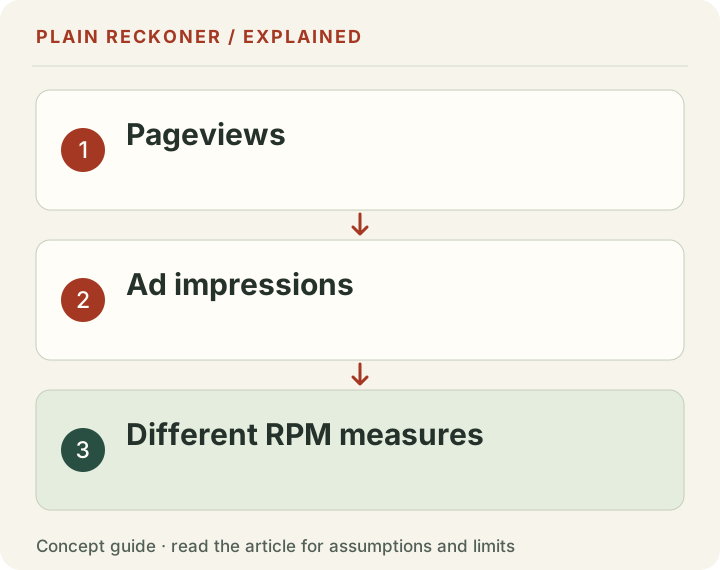
Worked example: these are example inputs for showing the calculation, not measured publisher earnings or a forecast. The cover illustrates the different counting units; the example below supplies the actual calculation.
| From one report | Example input |
|---|---|
| Ad earnings | $100 |
| Pageviews | 10,000 |
| Ad impressions | 20,000 |
Page RPM: $100 ÷ 10,000 × 1,000 = $10.
Ad impression RPM: $100 ÷ 20,000 × 1,000 = $5.
You still earned $100. The second rate is smaller because the number you divide by is larger. A page can show several ads, so ad impressions and pageviews are different counts.
These formulas follow Google’s RPM definition and ad impression RPM definition. You can download the example inputs and check the maths yourself.
AdSense RPM vs CPM: which number is yours?
RPM is an earnings rate. CPM is a cost or bid rate. Do not assume they describe the same payment.
Your page RPM answers: “How much did I earn for every 1,000 counted pages?” An advertiser’s CPM answers a different question about the cost of 1,000 ad impressions. Fees and payment arrangements sit between the advertiser’s spend and the publisher’s earnings.
Google’s ad-price reporting guide separates advertiser payment, fees and publisher payout. Total earnings and ad impressions alone cannot tell you an advertiser’s bill. The checker therefore does not label your impression RPM as advertiser CPM.
Comparing Mediavine or Raptive with AdSense?
Read the full field name before comparing the numbers.
Raptive’s reporting guide explains that its RPM uses sessions, while Page RPM uses pageviews. Mediavine’s ad-tech glossary also defines session RPM. A session is a visit; that visit may contain several pages.
A $12 session RPM and an $8 page RPM can describe the same earnings if the report has 1.5 pageviews per session. That ratio is an example input, not a rule for every website. Our session RPM vs page RPM guide walks through the calculation.
If RPM fell, check these five things first
- Dates: use the same complete reporting period for earnings and traffic.
- Currency: compare dollars with dollars, or record how you converted them.
- Count: compare page RPM with page RPM, not session RPM or ad RPM.
- Traffic measurement: check for a changed analytics setup or duplicate counting.
- Total earnings: did you earn less, or did the rate change while income held up?
Mediavine’s traffic-spike guide explains why rising traffic and falling RPM can appear together. It also flags duplicate analytics as a possible counting problem. This is something to check, not a diagnosis of your website.
If total earnings fell too, use our traffic-up, revenue-down guide to separate a traffic change from a rate change.
Check coverage with requests, not impressions
Coverage asks how often an ad request returned an ad. It does not ask how many ads were shown per page.
For example, 20,000 matched requests out of 25,000 total requests gives 20,000 ÷ 25,000 × 100 = 80% coverage. Use the matched-request count. Do not substitute ad impressions, even if the two totals happen to be equal.
Google’s coverage definition uses this request-based measure. The checker leaves coverage blank until you supply both request counts. It also keeps page and ad click rates separate.
More ads is a layout decision, not a quick fix
A low rate alone is not a reason to fill a page with more ads. Reader experience matters too.
The Coalition for Better Ads standards identify poorly received experiences, including pop-ups, auto-playing sound and large sticky ads. Review the standards for the type of page you run. Our ad-impressions-per-page result describes your report; it does not recommend an ad layout.
There is also a separate question: who is allowed to sell your ad space? IAB Tech Lab’s ads.txt guide explains that public record. Use our ad-seller checker if the setup itself needs checking.
Your next step: check your report totals, then change one thing you can explain. If the reports still do not agree, ask our team for a free manual review. Share the field names and dates; never share an account password.
A real reporting change that raised RPM without raising earnings
In May 2018, Google published an update to AdSense impression measurement. It described moving from counting an ad when the server found one to counting it once a returned ad had begun downloading on the reader's device. Google said the change could reduce reported impressions and raise impression-based rates, while earnings should not change.
This is a documented reporting change, not a case study of a publisher making more money. Its lesson still matters: a dashboard rate can improve because the counting rule changed. Before celebrating a higher RPM, ask whether the same amount of money is being divided by a smaller or different count.
The announcement is dated 2018. It is not a claim that a new measurement switch occurred on your site this month. If your current report changes unexpectedly, look for a relevant present-day notice and inspect your actual totals. An old example can teach the mechanism without being presented as current news.
Reconcile three quantities before comparing two screens
When both RPMs use the same earnings, there is a simple identity: page RPM equals ad impression RPM multiplied by ad impressions per page. It follows directly from canceling the common impression count. It is a consistency check, not a claim about how many ad slots a reader should see.
In the first example, $5 ad impression RPM multiplied by two impressions per page equals $10 page RPM. The three figures describe one report. If your two screens do not reconcile that way, first confirm that they use the same revenue and reporting window. Rounding can cause a small difference; different populations can cause a much larger one.
Now keep earnings at $100 and pageviews at 10,000, but use 30,000 impressions. Page RPM stays $10. Impression RPM becomes about $3.33, and impressions per page becomes three. Multiplying the unrounded values still gives $10. The lower impression RPM has not, by itself, made the publisher poorer.
In a separate scenario, keep 10,000 pages and 20,000 impressions but raise earnings to $120. Page RPM becomes $12 and impression RPM becomes $6. Both rates rise 20% because the shared earnings total rose 20%. Keep this scenario separate from the one that changed impressions; otherwise the explanation mixes two different effects.
What clicks can tell you, and what they cannot
Suppose the same report contains 50 recorded ad clicks. Against 10,000 pageviews, the page click rate is 0.5%. Against 20,000 ad impressions, the ad click rate is 0.25%. Those are different denominators for the same click count. A screen labeled only “CTR” leaves out information needed for a fair comparison.
Dividing $100 of publisher earnings by 50 clicks gives $2 per recorded click as an arithmetic ratio. That does not establish an advertiser's cost per click, and it does not establish that all the earnings were paid because of those clicks. Our checker keeps the supported reporting measures separate rather than inventing an advertiser bill from publisher totals.
This distinction is especially important when reading older advice. Google's November 2023 AdSense announcement described moving publisher payments toward impressions. That announcement concerned the payment arrangement, not permission to encourage ad clicks or increase the amount of advertising without regard to user experience.
Treat a click-rate change as a reporting observation. Check the implementation, traffic source and relevant provider guidance before calling it good or bad. Never click your own live ads to test a theory or ask visitors to click ads to improve a metric. Use the provider's supported testing and reporting tools instead.
Use coverage to ask a different question
Coverage needs total ad requests and the requests that returned at least one ad. With 25,000 total requests and 20,000 matched requests, the calculation is 80%. This does not mean that 80% of pageviews contained an ad or that 80% of visitors saw an ad.
Keep ad impressions out of the numerator unless a report explicitly defines that request measure. A matched request and an impression are different events. Even when two totals happen to match in a sample report, that numerical coincidence does not make the units interchangeable. A future reporting change can expose the mistaken substitution.
Coverage also does not establish viewability. Whether an ad was returned, whether it counted as an impression, and whether it met a viewability measurement are separate questions. The free checker does not estimate viewability from requests or impressions per page. If that is the question you need to answer, obtain the relevant provider report.
A high coverage figure alone is not a quality certificate. It can coexist with a poor reader experience or a weak earnings outcome. A low figure is a starting point for investigating delivery and reporting conditions, rather than proof of a specific policy violation.
Keep blank, zero and unavailable separate
Leave a field blank when you do not know it. Enter zero only when the matched report really records zero. Replacing an unknown count with zero can create an apparently precise answer that the evidence does not support.
If earnings are zero and pageviews are positive, the calculated page RPM is zero. If pageviews are zero, there is no meaningful page RPM from that denominator. Positive earnings alongside zero pageviews should prompt a reporting reconciliation; the tool does not turn it into an infinite rate or silently substitute the example pageviews.
The same principle applies to coverage. Known positive requests with zero matched requests give zero coverage. If the request count is unknown, coverage is unknown. If both counts are zero, dividing them does not produce a useful coverage percentage. This is why an unavailable result can be the correct output.
A combination can also be internally inconsistent. Matched requests should not exceed total requests for the same population. If a report appears to show that, inspect the dates, filters and export columns. Do not reduce one number just to make the calculator accept it; find out what the numbers actually count.
Build a comparison card you can show another person
Write down the property, complete dates, currency, revenue state and traffic unit before adding the totals. Keep pageviews, ad impressions, ad requests, matched requests and clicks in separate rows. Add the exact field names from the provider rather than relying on what you remember a similar dashboard called them.
Then calculate the supported rates and check whether they reconcile. Explain any difference using the original report. A concise comparison card is easier to review than a screenshot containing several percentages without denominators. It also makes a later change in reporting definitions visible.
If you compare two networks, check each network's current documentation. The label “RPM” is not a universal data contract. A matched session rate from one provider and a page rate from another can both be correct while remaining unsuitable for a direct ranking. A higher displayed number is not enough to name a winner.
Keep implementation changes in a dated note. If you add an ad unit, change a template, adjust consent settings and switch reporting filters in the same period, the next comparison will have several possible explanations. The calculation can show the result; it cannot isolate which change caused it.
Decide what to change after the numbers agree
Once the measures are comparable, choose the next check that matches the observed issue. If pages are missing from one report, examine the measurement setup. If delivery measures changed, use the provider's troubleshooting process. If comparable revenue per unit changed, inspect the largest meaningful groups before changing the whole site.
Test the reading experience as well as the report. Open representative pages on a phone and a desktop. Check whether the main content is easy to reach, whether advertising interrupts the task, and whether the page still works with slower loading. A measurement tool should help you ask these questions, not encourage a race to the largest ad count.
Start in the free analysis workspace with the figures you know, then use the ad-report checker for the specific definitions above. Keep the source reports private and share only the totals needed to explain the question. The aim is a result you can understand and reproduce, with the unknowns still visible.
Do not use the bank deposit as the earnings numerator
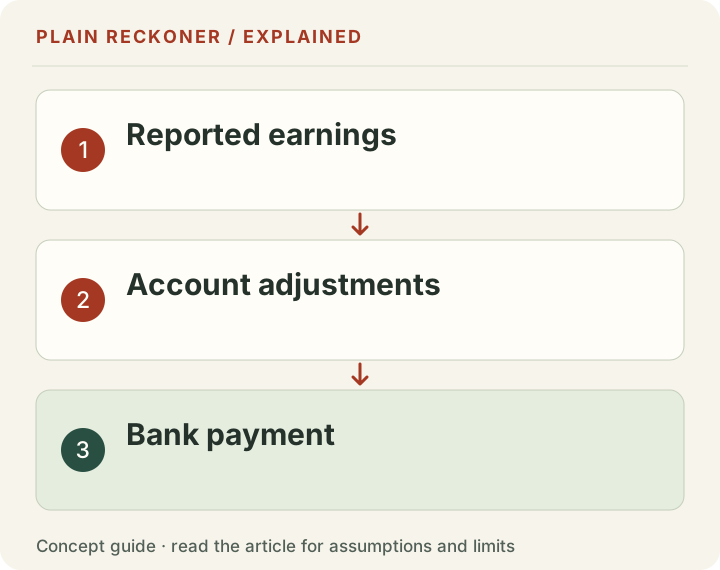
A payment reaching your bank can cover a different period from the traffic report you are reviewing. An account balance can also include earlier earnings or adjustments. Dividing that deposit by this month's pageviews can produce a number that looks like RPM but answers no consistent reporting question.
Use the earnings field for the same period and property as the traffic count. If you want to reconcile cash instead, keep a separate payment schedule and compare it with the account's payment records. The estimated versus finalized earnings guide explains the reporting states. A report-rate check and a cash reconciliation can both be useful, but neither should quietly borrow the other's numerator.
AdSense RPM meaning: identify the count before comparing rates
For AdSense RPM, the full label tells you what was counted. Google defines RPM using estimated earnings and the relevant pageview, impression or query count. Page RPM specifically uses pageviews. An advertiser's CPM is not automatically the amount a publisher receives for a thousand pageviews.
If you see an AdSense RPM drop, first export the same dates and currency for earnings, pageviews and ad impressions. In an arithmetic example, $200 from 20,000 pageviews gives a $10 page RPM. The same $200 from 50,000 ad impressions gives a $4 ad impression RPM. The different rates describe the same earnings. A page RPM calculator can check the division; it cannot tell you why auction prices or audience composition changed.
If the count and dates match, split the investigation by traffic source, country and device where your own report allows it. Treat that as diagnosis, not a reason to add more ads before checking the reading experience.