
A site can be live and still have an unfinished account task. A verified domain can still fail a content review. Check those states separately before deciding what to change.
The useful starting points are Google’s eligibility page, its setup guide, and the actual status shown in your AdSense account. A public checker cannot read that private status for you.
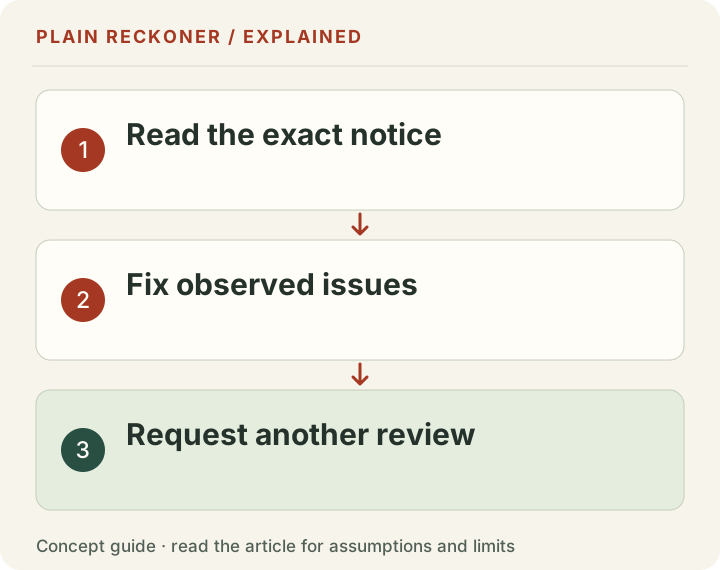
Start with the exact account notice
Record the site address, status, issue category and date. A general email about common content problems is not necessarily the account’s specific finding. Google’s rejection help lists several possible categories, including duplicate accounts and site issues.
If the notice concerns account identity or payments, editing an article will not complete that task. If it concerns site content, opening another account does not repair the pages. Use the remedy that matches the issue shown.
Keep private documents inside Google’s authenticated verification flow. Do not send an ID, bank details or account password to someone offering approval services.
What can be checked on the public site?
Open the exact domain submitted to AdSense. Check HTTPS, the homepage, an article and the main navigation without a login. Confirm that the page has readable content and that menus, forms and downloads work on a phone.
Inspect robots.txt and any access controls that might stop advertising crawlers. A request using a crawler’s name can expose a simple block, but cannot prove that every real crawler request will succeed. Hosting and firewall rules may distinguish IPs or request behavior.
Our public store and website check reports a bounded HTML sample and explains what it did not inspect. It does not establish account approval, legal compliance or a full content-quality review.
Choose a documented ownership-verification method
Google’s site-connection instructions describe these options:
| Method | Where to check your implementation |
|---|---|
| AdSense code snippet | The page’s HTML head |
| ads.txt snippet | The domain’s root ads.txt file |
| Account meta tag | The page’s HTML head |
Use the exact publisher ID supplied in your account. If ads.txt already exists, merge the required entry with legitimate existing records instead of replacing unrelated sellers blindly.
The meta-tag option is useful when you do not want to load the advertising library on the homepage. A verification method proves a connection step; it is not evidence that Google has accepted the site’s content.
Do not turn on ads simply to make a scanner display an ad-network name. A site waiting for approval can legitimately have ownership verification without live advertising.
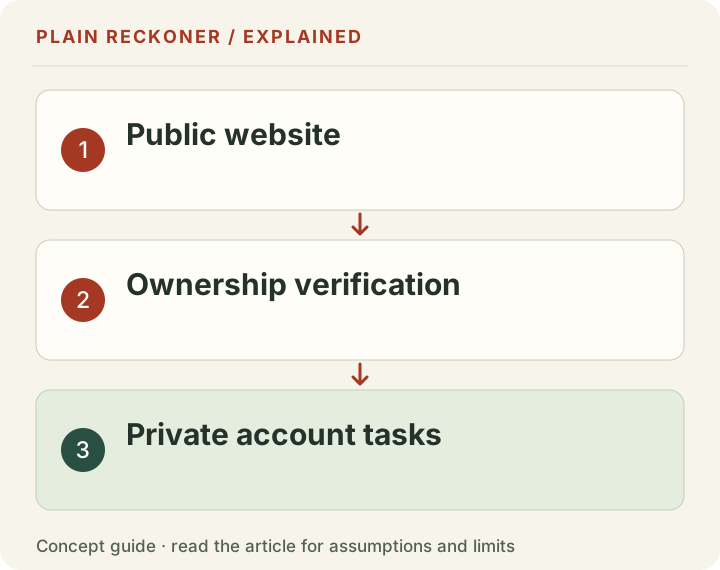
Complete the private account tasks
The setup guide covers payments and other account steps. Identity verification may be required; follow the task and deadline actually presented to your account.
Check that account information is accurate and consistent with the real publisher. AdSense’s terms page selects the applicable agreement by billing country. A visitor’s location or the language of the website does not determine the account holder’s identity or billing details.
Google’s eligibility page requires an eligible adult account holder. Where a duplicate-account issue is reported, review Google’s account instructions before taking action. Do not guess which account should be closed from a generic email.
These checks require private account evidence. A site with a correct publisher meta tag may still have unfinished account tasks.
Is there a required article or traffic count?
The named general eligibility page does not publish a universal article-count or traffic quota. That is a bounded observation about that page, not proof that regional or product-specific conditions can never apply.
A page count is also a poor quality test. Forty repetitive pages may answer less than one useful tool with a worked example and clear sources. Adding words without answering a real question does not establish value.
For content work, use the tool-page review. It shows how to test results, explain limitations and improve a user’s next decision. Google’s content guidance is the primary reference; forum approval stories are not policy exceptions.
Keep privacy text and behavior aligned
List the services actually used, what they receive and how users can exercise relevant choices. A policy should distinguish current behavior from a future advertising plan.
For advertising involving users in the EEA, UK or Switzerland, review Google’s EU user-consent policy and its publisher CMP requirements. Consent requirements depend on the processing and advertising configuration; a decorative Accept button is not proof of a working consent system.
Test the choices in the real implementation. Check whether relevant scripts load, whether the user can revisit a choice and whether the policy describes the actual vendors. Do not mark a consent message as published just because an environment variable or provider name exists.
Before requesting another review
Confirm that the stated issue has been addressed and that the relevant account tasks are complete. Test the public site again after deployment. Keep the evidence record, including the affected URLs and what changed.
Google’s connection guide says site reviews usually take a few days and can take two to four weeks. That is a review estimate, not a deadline for your application. The account’s status is the place to check whether action is available or a review is already running.
Avoid removing and re-adding the site as a routine troubleshooting step. Google’s site-status guidance warns that this can delay review. Editing a page, completing an account task and requesting a new review are different actions.
Keep a record you can act on
Use three short lists: public-site checks completed, private account tasks confirmed, and items still unknown. Save the date and source for each. An unknown private state should remain unknown, rather than being shown as a green approval badge.
This also helps if you ask for support. A specific question with the current status and a public URL is more useful than another application made without knowing what changed. Share sensitive account information only through Google’s official channels.
Source scope: named official pages checked on 24 October 2026. This guide describes documented steps and review limits. Google decides approval; neither these checks nor a manual review can guarantee the outcome.
Payment information is not the same as a bank-payment threshold
Several different tasks can sound like “setting up payment.” Entering the publisher's payment-profile information is part of the account setup checklist. Adding an available payment method, completing identity checks, verifying an address and reaching a payout threshold are distinct steps whose availability can depend on the account and location.
Do not conclude that a missing bank-payment option is the reason for a content rejection. First read the task actually shown in the authenticated account. Conversely, do not assume payment information is optional just because the public website is ready. Google's setup guide lists payment information alongside site connection in the account setup process.
The current guide also says identity verification may be required before an account can show ads. Follow a verification request and its displayed deadline inside Google. A public meta tag cannot prove that the named publisher passed that private check, and a developer should not ask you to upload identity records to the website being reviewed.
Keep a record of status without exposing documents: task name, date checked, whether complete and whether Google requests more action. That is enough for coordinating site work with account work. Sensitive identity and banking material belongs only in the appropriate official flow.
A clean public site cannot establish a clean traffic source
A content review and traffic quality are related responsibilities, but they require different evidence. A page can look useful while receiving artificial visits. A low-traffic page can be legitimate. The visible design alone cannot establish where the audience came from.
Google's account-rejection help includes traffic-source issues among the categories to investigate. Review actual acquisition methods and any services used to promote the site. Do not buy ad clicks, ask friends to click advertisements or use automated visits to make the dashboard look busy. A higher counter is not proof of a real audience interested in the content.
If you see an unexplained traffic spike, inspect the available analytics and hosting evidence. Server requests, browser pageviews and search clicks use different definitions. Keep bots separate where your reporting supports it, and state when the classification is uncertain. A request from a familiar user-agent string is not by itself verified human traffic.
This is another reason not to turn a single headline count into an approval readiness score. The account notice and the actual traffic practices matter. A public checker can identify only the signals its method observes.
Read the site as a reviewer and as a visitor
Begin at the root homepage, then follow the main navigation. Can you understand what the site does, who it serves and where its useful content is? Open a representative article and a representative tool. Complete a normal task without needing a private explanation from the creator.
Check the edges of the experience, too. A search with no match should offer a clear next step. A missing page should have a useful error route. A download should contain the data described beside the link. A manual-review form should explain the request briefly and confirm only after submission succeeds.
Inspect several languages rather than assume the English review applies everywhere. Translated labels should preserve revenue versus profit, traffic units and limitations. A broken language menu can leave a visitor on the wrong page. A translated promise of guaranteed acceptance can contradict careful English copy even if the layout appears polished.
Keep branding and identity consistent across the public pages. Explain the team and the work truthfully. Do not claim an independent verification or professional credential that has not occurred. A clear source trail and correct results are stronger trust signals than an unsupported badge.
Content length is not an approval formula
A ten-minute editorial standard can be useful if the topic deserves that depth. It is not a rule published by Google that turns a site into an approved publisher. Nor is an exact number of articles a substitute for original value.
For each article, identify what it adds: a reproducible calculation, a properly limited original measurement, a useful comparison of current requirements or a clear explanation of a difficult reporting distinction. If the page only repeats another page with slightly different keywords, adding more paragraphs does not fix its purpose.
For each tool, identify the task, the required inputs, the expected result and the limits. Test a small example independently. Then test empty, invalid and extreme inputs. An impressive interface around a result that silently uses the wrong denominator is still a problem.
Avoid publishing unrelated material merely to increase the count before review. A finance headline may attract attention, but a site about publisher and store decisions needs to make its intended audience and competence clear. Keep the useful scope coherent and support factual claims with appropriate sources.
Consent is an implementation, not a decorative panel
A consent interface needs to reflect the actual services and processing in use. If advertising is disabled, do not claim its library is actively serving ads merely because ownership verification exists. If a service is active, do not hide it behind future-tense privacy wording.
When the relevant consent requirements apply, test the flow in the regions and configurations where it is intended to operate. Verify the real network behavior before and after choices, whether choices persist and how they can be revisited. A screenshot of an Accept button establishes none of those behaviors by itself.
Use current official policy and qualified advice where the legal or regional details are uncertain. A generic website scan cannot certify privacy-law compliance. The useful output is a concrete configuration and test record, with unresolved questions identified honestly.
A concise final submission checklist
Keep public-site and private-account evidence in separate columns. For the site, record reachability, the documented connection method, useful content, working navigation, representative tool tests and the privacy configuration. For the account, record the current notice, payment-profile task and any identity or other requests actually shown.
Mark an item complete only when its evidence exists. A planned fix is pending. An account task someone has not checked is unknown. A verification tag found in HTML means that tag is present, not that the whole application passed.
After deploying fixes, repeat the important checks on the live domain. A local test does not prove the release reached production or that the hosting firewall allows the reviewer. Confirm the exact submitted address and follow the account's available review action. Keep the change record for future maintenance rather than resetting the application repeatedly without a clear reason.
If the next response requests more work, compare it with this record. The goal is to isolate what remains unresolved, not start the entire site over based on a guess. Site quality, account completion and approval are connected, but they remain different states that need different evidence.
Keep the reference dates visible
Requirements and interfaces change. Save the official source URL and the date checked alongside a decision, especially when a blog or video describes an older account flow. Prefer the instructions currently displayed in your account for account-specific actions.
A source reviewed today may still describe a historical event, and an article edited today may still contain older measurements. Preserve both dates rather than relabel every number as current. That distinction matters for readers comparing provider requirements, past revenue samples and their own live account status.