
Two thousand total sessions can still fall short of a thousand qualifying sessions. At a hypothetical 40% qualifying share, the relevant count is 800, not 2,000.
That arithmetic is simple. The difficult part is knowing what the application actually counts. Journey's current minimum-requirements page specifies at least 1,000 premium sessions over 30 days and says applicants connect GA4 for evaluation.
Mediavine's updated Journey announcement describes the threshold in terms of sessions from tier-1 markets and gives the US, Canada, UK and Australia as examples. Those examples are not an exhaustive country list or a public implementation of its approval rules.
Three numbers that should not be mixed
| Number on your screen | What it counts | Can it replace the requirement? |
|---|---|---|
| Users | People as counted by the analytics system | No; the stated threshold is sessions |
| Pageviews | Page loads or views recorded | No; a session can include several |
| Total sessions | All recorded visits in the chosen period | Not necessarily; the requirement narrows the traffic population |
A country breakdown is useful for understanding the audience. It does not prove that every session from a named country meets the provider's definition of premium, nor does a large worldwide total guarantee acceptance.
What the traffic mix changes
These shares are example inputs for checking how the result changes. We are not claiming to know your qualifying share or Journey's internal assessment.
| Assumed qualifying share | Total sessions needed to yield 1,000 |
|---|---|
| 20% | 5,000 |
| 40% | 2,500 |
| 60% | 1,667 |
| 80% | 1,250 |
| 100% | 1,000 |
Required total sessions = round up(1,000 / qualifying share)
Example: round up(1,000 / 0.40) = 2,500
The table explains why there is no universal worldwide-session shortcut. It is not an eligibility calculator: the qualifying share is precisely the unknown that a public homepage scan cannot establish.
Check your data before applying
- Choose a complete 30-day reporting period and record its start and end dates.
- Confirm you are reading sessions, not users or pageviews. Record the GA4 property and reporting time zone too.
- Examine session counts by country and source to understand the audience composition. Treat that as context, not a certificate of premium traffic.
- Check that the connected analytics property is the one collecting the website you are applying with. A missing tag or wrong property can make your records disagree.
- Use the application dashboard's decision and explanation for the actual eligibility result. If its count differs, ask which dates and definition were used rather than buying traffic to reach a headline number.
The help page also makes clear that traffic quantity is only one part of review: content, audience quality and technical fit matter. Reaching a number does not establish approval.
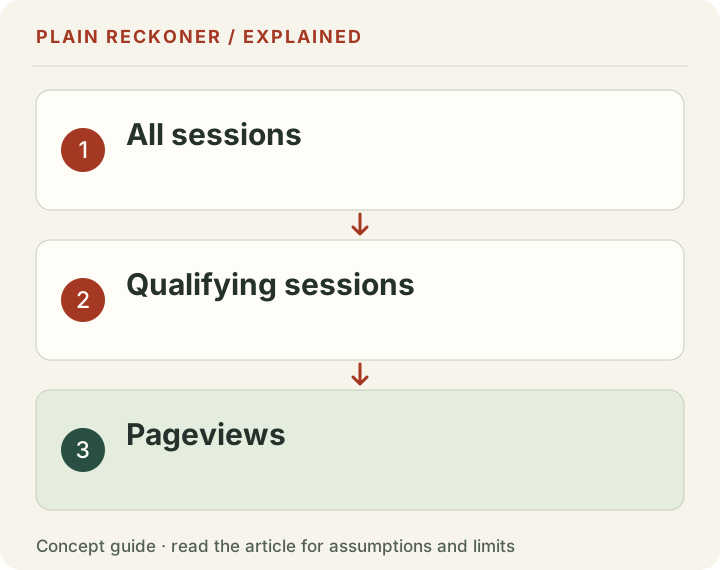
Journey's traffic gate and Mediavine's revenue gate are separate
Do not turn these sessions into advertising dollars with a universal RPM. The Journey-to-Mediavine comparison explains the separate revenue requirement and the limits of a historical RPM scenario.
If you already earn from advertising, session RPM versus page RPM helps you avoid comparing different units. If you want to inspect the sample behind our earnings scenarios, use the downloadable page-RPM data.
Evidence grade: A. The current threshold is provider-published, and the arithmetic is repeatable. We have no access to the provider's private eligibility model or your analytics, and the illustrative shares are not measured audience data.
Read the current pages without inventing a private formula
The main Mediavine application page currently describes sessions from Tier 1 countries. Journey's detailed minimum-requirements help page uses premium sessions. The public descriptions give useful context, but they are not a complete public specification of the reviewer's qualifying-session calculation.
Keep both descriptions visible when preparing a question. “I have this many worldwide sessions, and these are my country totals for these dates” is more useful than “a third-party tool says every visit qualifies.” Ask which dates and evidence the provider will use for the actual evaluation.
Do not construct an exhaustive approved-country list from examples in an announcement. Likewise, do not infer a precise qualifying percentage from a country's name alone. The arithmetic in this article accepts a hypothetical qualifying share so you can understand the relationship; the share itself remains a separate evidence question.
If the provider updates a definition, preserve the source and check date. A blog published recently can still repeat an older requirement. The live application guidance and the response for your site should take priority over an undated comparison table.
A 30-day period is not always a calendar month
A rolling thirty-day window and a named calendar month can contain different dates. February may be shorter, while another month has thirty-one days. Copying a monthly session total without checking the window can therefore produce a misleading threshold comparison.
Record the exact start and end dates used. Check whether both endpoints are included and whether the period contains complete days. Keep the reporting timezone. If the application displays a different window, ask about that difference before concluding that visits have disappeared.
For a chosen example, a site averages thirty qualifying sessions per complete day. Thirty such days produce nine hundred, below one thousand. Thirty-five days would produce one thousand fifty at that unchanged pace, but that longer total does not satisfy a thirty-day condition merely because it is larger.
This is not a demand forecast or a rule that traffic arrives evenly. It shows why the time window belongs in the requirement. A one-day spike and a steady month can have the same total while telling different stories about the audience.
Check that GA4 describes the site you are applying with
Google's session documentation explains its own session rules. A session is not a user count and not a pageview count. The familiar word “visits” in a spreadsheet is too ambiguous unless you know which source field it represents.
Confirm the property and web stream. If the property includes another domain, a test site or a different hostname, its overall total may not describe the applicant site. If the tag stopped firing during part of the window, the recorded count may be incomplete.
Check a few ordinary visits in the source system using its supported diagnostic tools, without manufacturing traffic. The purpose is to verify collection, not create enough events to reach a threshold. Note any deployment or consent changes that altered what the system records.
A public homepage scan can identify some visible analytics code. It cannot establish that the connected property is correct, that private session totals match the application or that all qualifying conditions are met. Leave those private checks explicitly separate.
What a qualifying-share scenario can tell you
The opening table holds the target at one thousand and varies the assumed share. That makes total sessions the unknown. You can also hold total sessions fixed and calculate the assumed qualifying count.
At two thousand total sessions, chosen shares of twenty, forty, sixty and eighty percent produce four hundred, eight hundred, twelve hundred and sixteen hundred qualifying sessions respectively. These are arithmetic outputs, not measured country or provider classifications.
The halfway point is fifty percent: two thousand multiplied by 0.50 gives one thousand. That does not mean a site with fifty percent traffic from an example country list automatically passes. It means a known qualifying share of fifty percent would yield that count within the defined period.
If the share is unknown, the honest output is a range of scenarios or an unresolved check. Setting it to one hundred percent by default and displaying a passing badge would hide the main uncertainty. A useful tool should help the owner ask a better question, not imitate the provider's private decision.
More traffic is not the same as better evidence
Buying visits to reach a headline number does not establish a real interested audience. Artificial traffic can create policy and advertiser concerns instead of solving the application problem. Focus on useful content and legitimate ways of reaching people who need it.
A traffic spike deserves investigation. Look at the source, geography, pages and dates available in your reports. Keep automated requests separate from browser sessions where the reporting supports that distinction. Do not classify every unexplained spike as fraud, but do not call it valuable readership solely because the total rose.
Nor should you assume a lower qualifying share makes the remaining readers worthless. People outside a particular advertising market can still find the work useful. The network's monetization criteria and your editorial purpose answer different questions.
The practical decision may be to keep serving that audience while evaluating a different revenue mix. This article does not estimate affiliate, subscription, product or sponsorship income. It explains why one program's gate should not be mistaken for a universal score of the business.
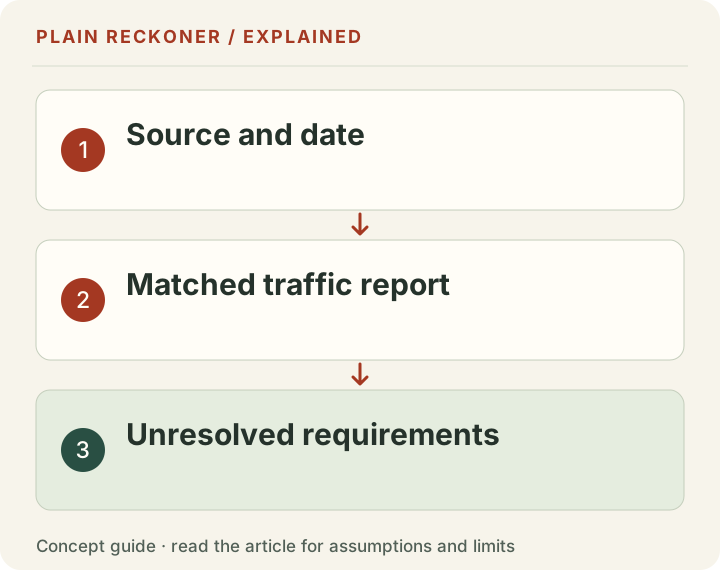
Content and technical fit remain separate gates
A threshold is a necessary numerical check under the stated rule, not a full approval model. Review the provider's current content and compatibility conditions as well. Do not migrate a site or change its editorial focus simply because a calculator clears one count.
Inspect whether the site has a clear purpose and original useful material. Check that sources, images and public claims can be supported. A large number of short repetitive posts does not establish that the audience is engaged or the content appropriate for an advertising partner.
Then inspect the actual reader experience. Menus, forms and important article content need to work on mobile. If a layout or platform is incompatible, ask the provider about your setup rather than assume a generic integration guide applies.
These checks are worthwhile for users regardless of application status. They are not an approval trick or a guarantee. The provider still evaluates the site and may ask for information a public comparison cannot supply.
Do not turn eligibility into an earnings forecast
A site can meet a session requirement and still earn a different rate from another accepted site. Geography, subject, devices, consent, ad setup, season and other conditions can differ. Entry quantity does not set a universal RPM.
Suppose a chosen scenario has two thousand qualifying sessions and a $10 session RPM. It would produce $20 at that fixed rate. A $20 session RPM would produce $40. Those are simply alternative inputs; the threshold does not establish which rate a provider would deliver.
Do not put the $15.21 historical page-RPM median into that session formula without matching pageviews. Our historical study uses a different denominator and selected business records across older periods. It is not a Journey payout table.
If you already have earnings, calculate a matching rate from your own reports and keep the period complete. If you do not, show uncertainty rather than borrow an attractive rate from a success story and call it the expected income from acceptance.
Prepare a concise question if the counts disagree
Write the domain, the GA4 property scope, exact dates, timezone and the metric label. Include total sessions and the available audience breakdown as context. State which application figure differs and what definition you want clarified.
Keep the message factual. “My export shows two thousand sessions for these dates; the application shows a different eligible total; which scope is used?” is more actionable than accusing either system of deleting traffic. A difference can have several explanations.
Do not send login credentials or visitor-level personal data to a third-party reviewer. Use the provider's authenticated connection and official support route for private account evidence. Public tools need only non-sensitive aggregate inputs for the scenarios they calculate.
Save the answer and its date with the application record. A response for your specific site can clarify that case, but it should not become a universal published rule without support from the provider's general documentation.
Choose the next step based on the missing requirement
If the count is below the stated minimum, improve the site's usefulness and legitimate reach rather than manipulate the metric. If the count is unknown, resolve measurement and the provider's definition. If technical fit is uncertain, ask before spending on a migration. If the application is already under review, follow its status rather than repeatedly submit guesses.
Use the network requirements screen to organize the public checks and your stated metrics. It does not connect to the provider's private approval engine. Keep that boundary beside any result you share.
A useful outcome is a clear application record: what your reports show, what the public rule says, what remains unknown and who can answer it. That is more reliable than a green tick based on worldwide visits alone.
Keep a reviewable requirements table
Use separate columns for requirement, source, your evidence and current status. A provider-published minimum belongs in the source column. A matched GA4 export belongs in your evidence column. An assumption about premium qualification belongs in neither as a confirmed fact.
Use statuses that preserve uncertainty: supported by the available evidence, not met, or needs confirmation. A blank input should not automatically become not met, and an assumed input should not automatically become supported.
Record changes when you refresh the table. If the provider changes a requirement, save the earlier date and the current reference. If your reporting window moves, update the source period rather than compare the new total with an old application snapshot silently.
This small record makes the application easier to discuss and prevents a future reader from treating an old screenshot as a current admission rule.