A bundle can raise the order total while leaving less money from the same products. Before adding a discount, count every component, every selling cost and the stock that limits the offer.
Use the free bundle pricing calculator to change the quantities and costs. It works in your browser without a store login. This guide uses a worked example, not a claim about observed sales or conversion.
Start with the exact items
A bundle contains one unit of product A and two units of product B. Product A normally sells for $40 and costs $24. Each unit of B normally sells for $20 and costs $8.
The individual-price total is $80: $40 + 2 × $20. Product cost is $40: $24 + 2 × $8. A common mistake is to count each product once even when the bundle includes several units. That would understate both the reference price and the cost.
Our proposed bundle sells for $65. The price is 18.75% below the $80 combined reference. That is a price comparison, not proof the promotion is attractive or profitable.
What does a $65 bundle leave?
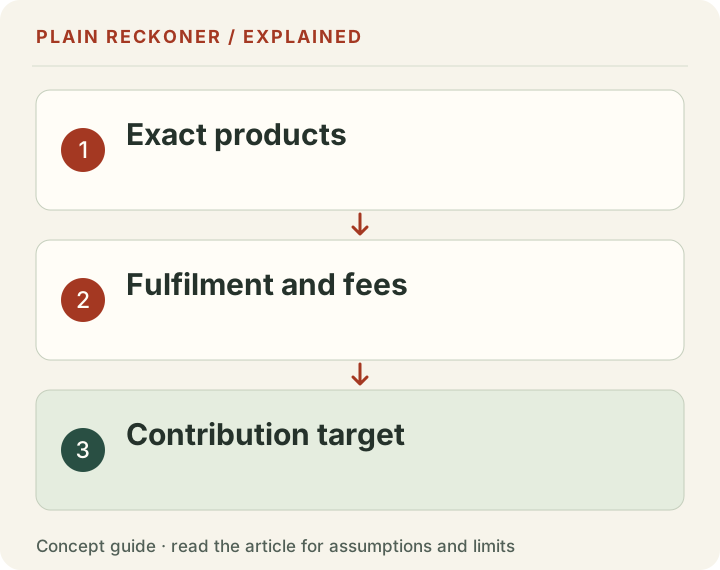
Enter these assumptions, using your actual fee schedule when checking a real offer:
| Item | Per bundle |
|---|---|
| Product revenue | $65.00 |
| Product costs | −$40.00 |
| Shipping and packing | −$8.00 |
| Percentage selling fee, assumed 3% | −$1.95 |
| Fixed selling fee, assumed | −$0.30 |
| Advertising cost | −$10.00 |
| Contribution after entered costs | $4.75 |
The example assumes no customer-paid shipping revenue. These fee inputs are examples, not a quote from a payment company. Contribution is what remains after the costs listed here. It is not net profit: tax, overhead, owner pay, returns and unentered costs remain outside the calculation.
At the undiscounted $80 combined price, with the same shipment and advertising cost, contribution would be $19.30. The bundle therefore gives up $14.55 per combined basket. The $15 price reduction is partly offset by a $0.45 reduction in the assumed percentage fee.
That comparison matters if buyers would otherwise purchase the same items at full price. If buyers would never buy them together, the reference is less useful. Neither scenario proves what customers will do.
Find the price floor before choosing a discount
With a percentage fee, the floor cannot be found by simply adding product cost to shipping. Part of the selling price goes to the fee.
For this example:
Minimum price = ($40 + $8 + $0.30 + $10) ÷ (1 − 0.03).
The calculator rounds up to $60.11. Rounding down could leave the price just below the cost boundary. A floor covers only the costs entered; it is not a recommended selling price or a reason to price at break-even.
If you need a contribution target, add that target to the fixed-cost numerator before dividing by the fee-adjusted rate. Check what the resulting price means for the actual customer offer. Price arithmetic cannot replace a demand test.
Which component runs out first?
Suppose 100 units of A and 25 units of B are available. Each bundle needs one A and two B units.
- A supports 100 complete bundles.
- B supports only 12 complete bundles, with one unit left over.
- The offer can therefore support 12 complete bundles.
Use available stock after reservations, committed orders and unavailable units. Do not use the total stock count if part of it is already promised elsewhere.
Shopify’s bundle considerations explain how component quantities affect bundle availability. Your platform remains responsible for real inventory tracking; our calculator does not reserve stock or connect to your shop.
Check discount rules and price changes
Confirm the final offer in your own store. Another coupon, automatic discount or shipping promotion may change the contribution. A bundle that looks safe at $65 can become a different offer after a second discount.
Shopify’s bundle documentation also describes bundle pricing and discount handling. Component price changes do not justify assuming every bundle configuration will update as intended. Check the current product and bundle settings instead of relying on an old spreadsheet.
The calculation here compares one combined basket against another combined basket. It does not assume that the customer would have placed separate orders, so it does not invent shipping savings from consolidating orders. Enter a real fulfillment change only if you can support it.
Test the offer without hiding the trade-off
Before launch, record the proposed price, component costs, units per bundle, available stock and contribution target. Keep the old scenario so later price changes are visible. The calculator can download the scenario locally.
After launch, compare actual contribution as well as revenue. Separate new purchases from orders that might have happened at full price. Watch return costs, stock shortages and whether the bundle takes scarce units away from a more useful offer. A higher average order value alone is not enough.
If the aim is clearing old stock, use the inventory markdown test alongside this calculation. For delivery offers, check the free shipping threshold. For returns, use the full-return cost scenario.
What should you do next?
Write down the one assumption most likely to change: product mix, selling fee, shipping cost or ad cost. Run a second scenario with that input changed. If a small cost increase removes the contribution, you have found a weak point before putting money behind the offer.
Request a free manual review if you need help separating the cost assumptions. Send the question and public store address; do not send customer records, account passwords or payment details.
Choose the comparison that matches the customer decision
There are several possible baselines for a bundle. A customer might otherwise buy all the components together at full price. They might buy only the main item. They might buy nothing. The calculator cannot observe those alternatives from a proposed price.
The original example compares the same combined basket at $80 and $65. It therefore measures contribution given those identical quantities and named costs. It does not estimate incremental demand.
For a different question, calculate a main-item-only order separately. Product A alone at $40, with its $24 product cost, the example 3% plus $0.30 fee, $8 fulfillment and $10 advertising, leaves negative $3.50 under those assumptions. That is a different basket from the bundle, not evidence that the bundle caused a profitable acquisition.
You might discover that the bundle improves the contribution of a paid acquisition while reducing contribution from customers who would have bought all three units anyway. Both effects can exist. Measure the observed order mix and keep uncertainty about the unobserved alternative rather than choose whichever baseline makes the promotion look strongest.
Find the maximum discount for a chosen target
The example's break-even floor covers $58.30 of named fixed-dollar costs after the percentage fee. If you want $5 contribution, the price needs to cover $63.30 divided by 0.97. That is about $65.2577, so round upward to $65.26.
Against the $80 combined reference price, the arithmetic leaves $14.74 of discount room at that rounded target price. That is about an 18.425% discount. The proposed $65 offer is slightly deeper and leaves $4.75, not the $5 target.
These small differences are easy to miss when the banner uses a rounded percentage. A promotion advertised as “roughly twenty percent off” may have a different actual price and cost outcome. Set the final selling price, calculate the actual discount and check the displayed wording against it.
The target still excludes tax, returns, overhead and owner pay in this example. Raising the target can create room for those obligations, but it does not transform the calculation into audited net profit. Use actual records for the excluded costs when reviewing the business result.
A second coupon can change the offer completely
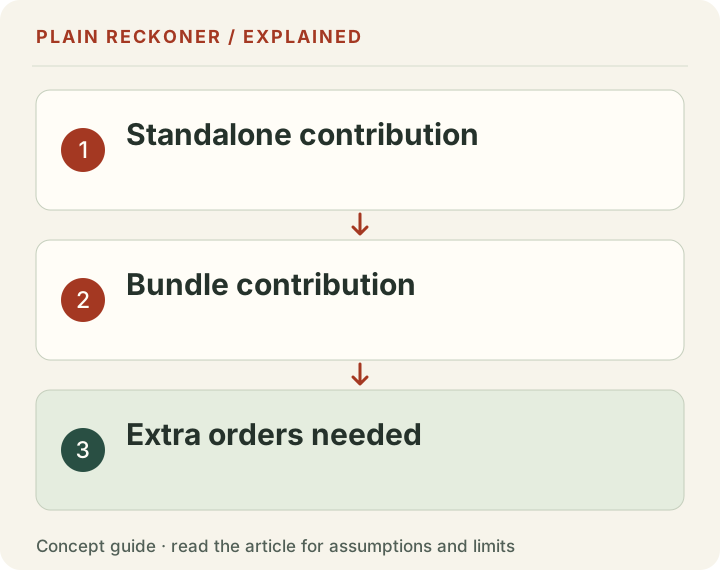
Apply a separate chosen ten-percent coupon to the $65 bundle. The product revenue falls to $58.50. The assumed 3% fee becomes $1.755. Subtract the $40 product cost, $8 fulfillment, $0.30 fixed fee and $10 advertising. Contribution becomes negative $1.555 before rounding and other excluded costs.
Nothing about the component quantities changed. The second discount alone moved the modeled offer below its named cost floor. This is why discount combinations belong in prelaunch testing rather than in a note discovered after the campaign starts.
Test what the customer actually receives: the bundle price, eligible coupon, shipping rule and final checkout. Do not assume that selecting component products in a promotion produces the same outcome as selecting the bundle product. Follow the current platform documentation and inspect the final order.
Also distinguish a fixed bundle from a “buy X, get Y” offer. Shopify's Buy X get Y guidance says customers must add the qualifying items themselves; the discounted item is not automatically inserted. A cost model that assumes every order includes a free item may therefore differ from the actual cart behavior.
Explain the offer in language a buyer can follow. An arithmetic saving has little value if the shopper cannot tell which items must be added or why the checkout differs from the product card.
Component stock is shared with other demand
The twelve-bundle capacity in the opening stock example is a snapshot, not a reservation. Other orders can consume the same B units. Returns, transfers and damaged stock can change what is available. Your real store must manage those inventory events.
Suppose you want to reserve five of the 25 B units for existing commitments. That leaves 20 available to this promotion. At two B units per bundle, the offer can support ten complete bundles rather than twelve. The relevant count is the stock assigned to the offer after constraints, not every unit physically in the building.
A scarce component can also have a competing use. If B sells profitably on its own, allocating it to a discounted bundle has an opportunity cost. Compare the actual alternatives rather than treat slow movement in A as a reason to discount B automatically.
For each component, record units per bundle, sellable stock, reservations and alternative demand. Take the smallest whole-bundle capacity across components. Keep fractional bundles unavailable; half a required component does not complete the customer's order.
Product changes need a bundle review
A new supplier price can make an old offer less attractive even when the public price never changed. So can packaging changes, heavier variants or a higher acquisition cost. Review the bill of materials whenever a component or cost changes.
Shopify's current bundle documentation states that changing a component's price does not automatically update the bundle price. That makes a review of the actual bundle listing important after price imports or manual edits. The rule describes platform behavior, not a forecast of your economics.
Maintain a dated cost sheet beside the live offer. Show the source of each cost and which variant it applies to. If a bundle allows several variants, check the expensive combination rather than assume the cheapest component cost represents them all.
Keep shipping assumptions equally specific. A three-item basket may fit the same parcel as a one-item order, or it may require a larger package. Neither saving nor extra cost should be presumed without the actual fulfillment setup.
Returns can unbundle the economics
A customer may return every component or only part of the offer, depending on the applicable policy and transaction. The refund allocation, retained fees, outbound delivery, return shipping and recoverable stock can differ from the original calculation.
Do not model every returned bundle as a clean reversal of all costs. A carrier may already have been paid. A fee may not be fully refunded. Returned components may have different resale conditions. A partial refund does not automatically mean the same fraction of product cost has been recovered.
Keep the original order context and calculate the affected components. Use the platform's actual refund allocation and your disclosed policy. If the treatment is unclear, resolve it before presenting a firm post-return profit figure.
The return-cost tool provides a narrower full-return scenario. It does not cover every partial-bundle, exchange or mixed-condition case. Knowing that boundary helps you choose when a simple calculator is enough and when a manual reconciliation is needed.
Review contribution and usefulness after launch
Record complete bundle orders, component usage, actual selling costs and matched refunds. Compare contribution dollars as well as average order value. A larger basket can be useful while a deeper discount lowers the money retained from each sale.
Ask whether the offer solved the intended task. Did it move a constrained component, simplify buying a useful set or help clear stock within a cash plan? Keep those observations separate from claims about what would have happened without it.
A before-and-after comparison may reflect seasonality, traffic changes, new images or simultaneous promotions. Describe them. Where a clean comparison is not available, report what happened without claiming a precise causal lift.
Then choose whether to keep, revise or end the bundle. Save the tested scenario and final order evidence so the decision can be checked later. A bundle is a product and operating decision, not simply a bigger number in the checkout.
For a quick final check, ask another person to reproduce one order from the displayed quantities and source costs. They should reach the same reference price, component cost, fee and contribution before considering any marketing result. If the sheet cannot be reproduced, fix the definitions before scaling the promotion. Small unit errors multiply when the offer uses two or three of the same component, and a polished discount badge will not reveal that mistake to the customer or the operator.
A product bundling pricing example with a stock limit
Consider an arithmetic example with two products that cost $12 and $8. A $30 bundle leaves $10 before delivery, payment fees, returns and ads. A 10% discount reduces the bundle price to $27, leaving $7 before those other costs. The customer sees a $3 saving; the business has used $3 of its original $10 contribution. Those percentages answer different questions.
A product bundling strategy also needs enough of every component. With 40 units of the first item and 15 of the second, a one-of-each offer can supply at most 15 bundles before replenishment. Selling those bundles can also remove stock from full-price orders, so compare the alternative use of the items rather than assuming the bundle is additional revenue.
Use the bundle pricing tool to compare the price, component costs and stock limit. The result is a cost scenario, not proof that customers prefer the offer. Keep the offer and its observation period separate from the calculation.